QR Code Generator Custom Styles, Logo and Round Border
Make a QR code for a link, Wi-Fi or contact, then style it: rounded or fancy dots, gradient colours, a round border card with a caption, or your logo in the centre. Test that it scans, then download a PNG or SVG or embed it on your website. Free, never expires, and nothing is uploaded.
1. Content
https:// is added for you if you leave it out.
2. Design
Style presets
Dot style
Fancy uses round dots and rounded corner squares.
Colours
Border
Error correction
Higher levels survive scratches and smudges but make the code denser.
Export size
3. Download or embed on your website
Download the PNG or SVG on the right, or paste the code below into your page. The data is inside the image, so it works as long as the image does: no redirect, no tracking and no account.
The image is embedded in the HTML itself (512 px), so there is no file to host.
Your QR code
Print checklist
- Good contrast (18.9:1)
- Dark code on a light background, which every scanner reads.
- Quiet zone is wide enough
QR code generator examples
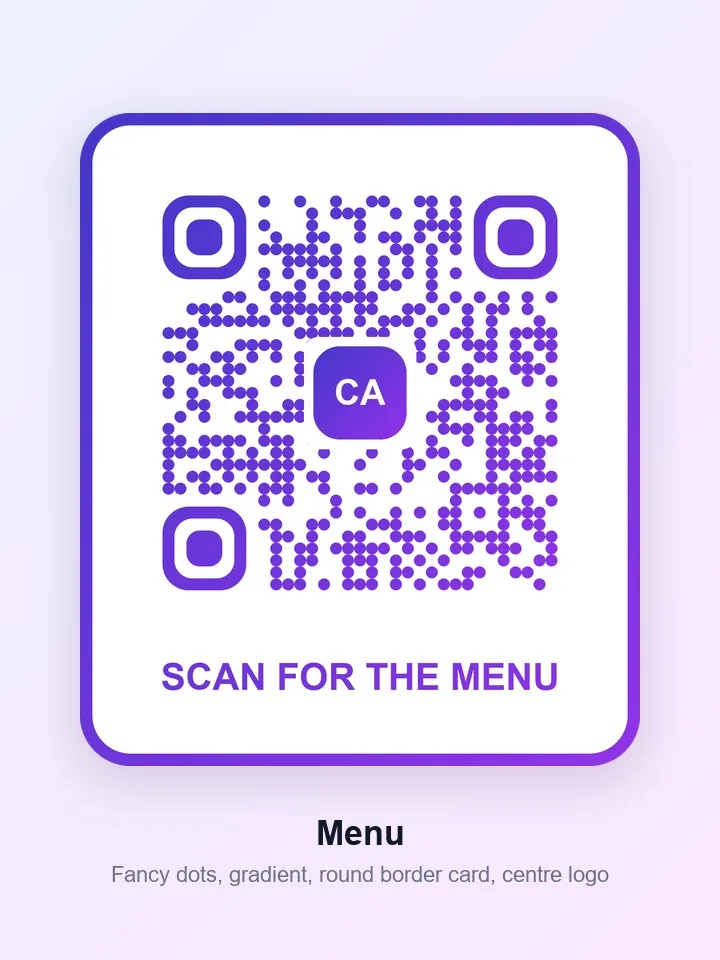
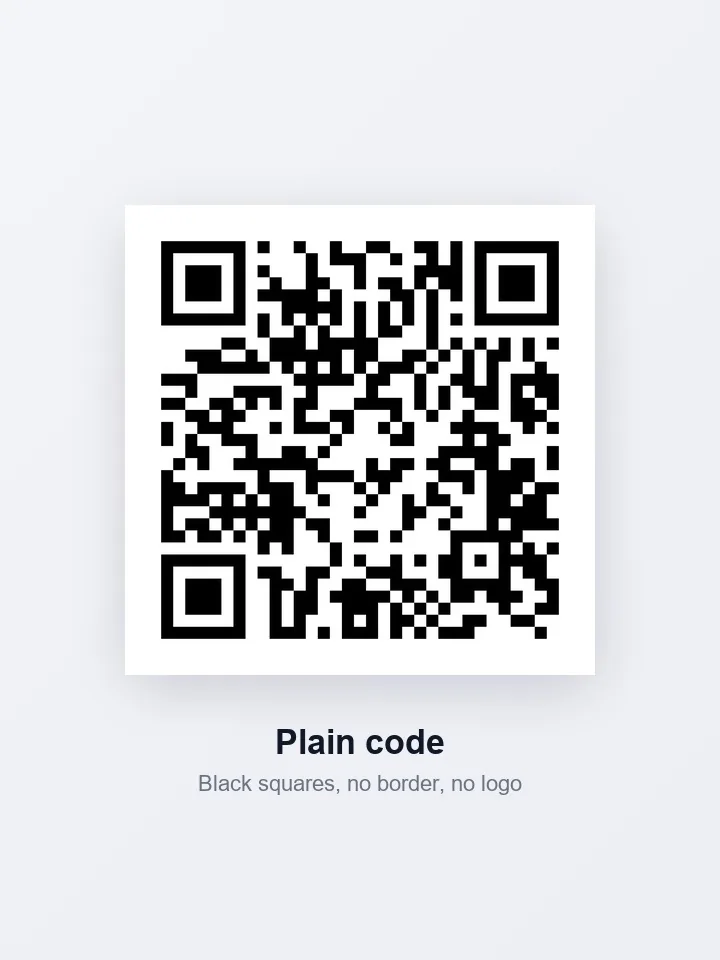
The same text as a plain black-and-white code and as a styled code from the generator, with a gradient, a round border card, a caption or a centre logo. Each styled code was decoded back to its exact text, so the styling does not stop it from scanning. Pick an example and drag to compare.
Example 1 of 4
Menu
A plain black QR code for a cafe menu next to the same code in fancy round dots with a violet gradient, a round border card, a caption and a centre logo.
Drag the handle on the picture to compare.
How to use
- 1
Choose a content type (website, text, Wi-Fi, contact, email, phone, SMS or location) and enter the details.
- 2
Pick a style preset, or set the dot style, colours and gradient. Add a round border card with a caption, or a centre logo, if you want one.
- 3
Check the scan test and the print checklist under the preview.
- 4
Download the PNG or SVG, or copy the embed code for your website.
- 5
Test the printed code with your own phone before you print many.
What the QR code generator can do
Eight content types
Website link, text, Wi-Fi, contact card, email, phone number, SMS and location, each with its own fields.
Four styles and gradient colours
Square, rounded, dots or fancy modules, with one-click presets and an optional two-colour gradient.
Round border card
Put the code in a rounded card with a gradient border and a caption such as Scan me.
Logo in the centre
Add your logo; error correction switches to the highest level so the code stays readable.
Scan test
The tool decodes the finished code and tells you whether it reads, with a print checklist for contrast and margin.
Download or embed
Save a PNG or SVG, copy the image, or paste an image tag or inline SVG into your page.
More about the qr code generator
What this tool does
This free QR code generator makes a code for a website link, plain text, a Wi-Fi network, a contact card, an email, a phone number, an SMS or a map location. Pick a style (Classic, Rounded, Dots or Fancy), add a gradient, put the code in a round border card with a caption, or drop your logo in the centre. A built-in scan test decodes the finished code, so you know it reads before you print it. Download a PNG or SVG, or copy a snippet to embed it on your website.
The codes are static: the information is inside the image itself, so there is no account, no redirect and no expiry date. For the opposite job, reading a code from a picture, use the QR Code Reader. For the striped barcodes on products and parcels, the Barcode Generator makes Code 128, EAN-13 and UPC-A.
When you'd use it
- Restaurant and cafe menus. A code on the table links to the menu. Add a caption and a logo so people know what they are scanning.
- Guest Wi-Fi. A Wi-Fi code lets visitors join without typing the password. Print it on a card or a frame.
- Business cards and flyers. A contact code saves your details to a phone in one scan.
- Posters and packaging. Use the SVG for print, so the code stays sharp at any size, and the round border card for a finished look.
How it works
The text you enter is turned into a grid of dark and light squares, called modules, with the open-source qrcode library in your browser. A higher error correction level adds more backup data, which lets the code survive a logo, a smudge or a scratch, but makes the grid denser. The generator draws the grid on a canvas for PNG, and as vector shapes for SVG, in the style and colours you chose.
Fancy style draws round dots with rounded corner squares, and a gradient is painted across the whole code. The round border card adds a border, a rounded corner on the code and a caption, so the downloaded image is taller than it is wide. Before you download, the tool decodes the finished picture with the jsQR library, at several sizes, the way a phone might see it at different distances. Everything runs in your browser, so what you type, including Wi-Fi passwords, is never sent anywhere.
Real results from our tests
All five styles hold the same web address, at the default 1024 px export. Every one passed the tool's own scan test. The plain Classic code is the lightest PNG at 25 KB, while the Fancy gradient is 454 KB because round dots and a gradient do not compress as well as flat squares. The round border card comes out taller than it is wide, at 1219×1422, with a 511 KB PNG. The SVG files stay between 14 and 23 KB, which is why SVG is the better choice for print.
| Style preset | Scan test | PNG pixels | PNG size | SVG size |
|---|---|---|---|---|
| Classic | Passed | 1015×1015 | 25 KB | 19 KB |
| Rounded | Passed | 1015×1015 | 91 KB | 23 KB |
| Dots | Passed | 1015×1015 | 140 KB | 17 KB |
| Fancy gradient | Passed | 1015×1015 | 454 KB | 14 KB |
| Round border card | Passed | 1219×1422 | 511 KB | 14 KB |
Each code holds the same web address, with the default 1024 px export and medium error correction. The scan test is the tool's own: it decodes the finished code. The round border card is taller than it is wide, because it adds the border and the caption. Measured by running this tool in Chrome on 16 November 2026. Your files will give different numbers.
Tips and common mistakes
- Test the printed code with your own phone before you print many. Paper, ink and glare all change how it reads.
- Keep dark modules on a light background. The checklist warns you about low contrast, and light-on-dark codes fail on some scanners.
- Leave the blank margin around the code alone. At least two modules of quiet zone keep scanners from confusing the code with what is next to it.
- Keep the logo small, around 20% of the width or less, and let the tool lock error correction to H.
- Use SVG for anything that will be printed large, and PNG for screens. If a gradient code fails the scan test, try a darker second colour or a plain colour.
Limits
- These are static codes. You cannot change where a code points after you print it, and there are no scan statistics. For a code you can edit later, you would need a service that redirects through its own server.
- A code holds up to about 2,900 characters, and the more you put in, the denser and harder to scan it gets. Shorten long links before you make a code.
- Very pale colours, a tiny print size or a large logo can stop a code from reading. The scan test shows it, but it cannot replace trying your own phone.
- A Wi-Fi code contains the password in plain form, so anyone who can scan the code can read it.
Privacy and your photos
The code is drawn in your browser. What you type, including Wi-Fi passwords and contact details, is never sent to a server or stored, and the logo you add stays on your device.
Frequently asked questions
How do I create a QR code for free?
Choose a content type, enter your details, and the code appears at once. Download it as a PNG or SVG. It is free, with no sign-up and no watermark.
How do I make a QR code with a logo?
Press Add centre logo and choose an image. The tool puts it in the middle of the code and sets error correction to the highest level, so the code still reads. Keep the logo small and check the scan test.
How do I make a QR code with a rounded border?
Choose the Round border card preset, or set Border to Round border card. The code goes in a rounded card with a gradient border and a caption you can edit, such as Scan me.
Do QR codes expire?
Not these. The information is stored in the image itself, with no server, redirect or subscription behind it, so the code works for as long as the image can be scanned. If you change the content, make a new code.
How do I make a QR code for Wi-Fi?
Choose the Wi-Fi type, enter the network name, the password and the security type, and download the code. Anyone who scans it can join the network. Remember that the password is readable from the code.
How do I make a QR code for my contact details?
Choose Contact, fill in your name, phone and email, and download the code. Scanning it offers to save the contact to the phone.
What error correction level should I use?
Medium (15%) suits most codes. Use High (30%) if you add a logo, which the tool does for you, or if the code will be printed on a surface that may get scratched. Higher levels make the code denser.
What is the best size for printing a QR code?
Large enough for a phone to read from where people will stand. Use the SVG so it stays sharp at any size, keep the blank margin around it, and test one print with your own phone first.
How do I embed a QR code on my website?
Under the code, open Download or embed on your website. Copy the image tag, which holds the picture inside the HTML, or the inline SVG, and paste it into your page. Or download the file, upload it to your site, and use its address in an image tag.
Why won't my QR code scan?
The usual causes are low contrast, a very small print, a margin that was cut off, a large logo or a gradient with a pale end colour. Check the scan test and the print checklist, choose dark colours on a light background, and try again.
Can I track how many people scan my QR code?
No. These are static codes with no redirect, so there is no tracking and no scan count. That also means no account and no data kept about your visitors.
Is my information uploaded?
No. The code is drawn in your browser, so what you type, including Wi-Fi passwords and contact details, never leaves your device, and the logo you add stays on it too.
Related tools
Maintained by Hardik Sindhav · Last verified 16 November 2026 · How we test and use AI