Passport Size Photo Maker – Any Country
Choose your country, frame the photo to the official head size, change the background, then download a digital file or a print sheet.
or drag and drop your photo here
No image? Try one of these:
 Portrait Photo
- Face the camera, neutral expression
- Even light, no shadows
- Plain light wall behind you
How to use
- 1Choose your country or document from the list.
- 2Upload a front-facing photo taken against a plain light background.
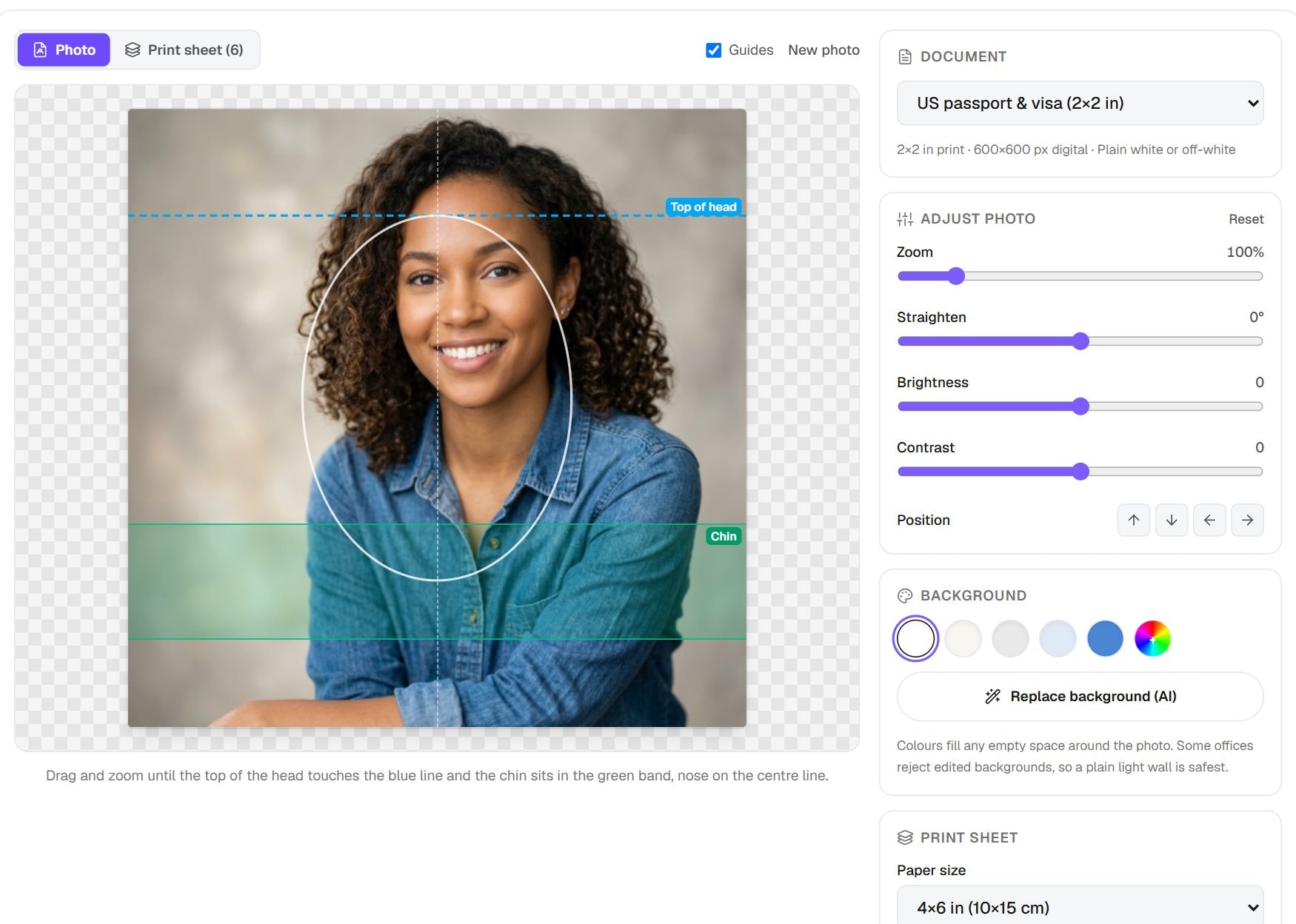
- 3Drag and zoom until the top of your head touches the blue line and your chin sits in the green band. Replace the background if it isn't plain.
- 4Download the digital photo for online forms, or a print sheet (4×6 or A4) for paper applications.
- 5Check the official rules linked in the checklist before you submit.
Privacy: Cropping, sizing and the print sheet are made in your browser. Your photo is only sent to our server if you choose the AI background option. The server deletes the upload within an hour and the result within six hours.
What this tool does
Countries disagree about passport photos: the shape, the size of your head, the background colour and the file size all change from one to the next. Choose your country here, and the tool loads that country's rules, draws them on screen as guides and produces a matching file. You get a digital photo for upload and a print sheet for a lab. The list covers the US, UK, India, Canada, Australia, Schengen visas, several South Asian passports and the ICAO standard.
There are dedicated pages for the most requested documents, such as the US 2×2 photo and the Indian passport photo, which explain those rules in more depth. This page is the one to use for every other country, or when you need photos for more than one application.
When you'd use it
- Travelling on a visa. Embassies set their own rules, so choose the country issuing the visa rather than the one you live in.
- Dual nationals. If you hold two passports, you may need two different photos from the same picture, and this tool can produce both.
- Countries with few studios nearby. Studios often know their local format but not a foreign one, whereas here you can select it directly.
- When a generic standard is enough. The ICAO option follows the international standard behind many passport photo rules, useful when no country preset fits.
How it works
Each country is a small record in the tool: the printed size in millimetres, the digital size in pixels, the allowed head height, any KB limits, the background and a link to the official source. Choosing a country swaps in that record. Your photo stays in place, and the frame and guides change around it.
You drag and zoom until your chin and the top of your head meet the guides. The tool then draws the frame at the exact pixels for that document, adjusts JPG quality to respect any file size limit, and lays out copies at true size for printing. All of this happens in your browser, except the optional AI background replacement, which uses our server. The server deletes uploads within an hour and results within six hours.
Real results from our tests
We ran one sample portrait through five country settings. The same picture produced five different files, from a 600×600 square for the US to a 1181×1654 file for Canada's larger 50×70 mm photo. It shows why one saved passport photo rarely works everywhere.
| Country setting | Digital file pixels | Digital file size |
|---|---|---|
| United States | 600×600 | 79 KB |
| India | 630×810 | 119 KB |
| UK | 700×900 | 139 KB |
| Schengen | 827×1063 | 180 KB |
| Canada | 1181×1654 | 330 KB |
Input: our 1024×1024 sample portrait. A country appears only if the tool has a preset for it. Measured by running this tool in Chrome on 6 November 2026. Your files will give different numbers.
Tips and common mistakes
- Open the official source linked for your country and read it. Rules change, and that page has the final word over any tool.
- Take a new photo for each application if the rules on age of the photo are strict, as many ask for one from the last six months.
- Choose the country issuing the document, not the country you are applying from.
- Start from your best original, not a photo already cropped for another country, so there are enough pixels to reframe.
- Print at 100% or Actual size, then check one printed photo against the stated millimetres.
Limits
- It prepares a photo to a published size. It cannot promise that an official will accept it.
- The guides handle framing only. Lighting, expression, glasses and head coverings have rules you must check yourself.
- A country missing from the list has no preset yet. Read its rules, then use the ICAO option or the closest size and check the result.
Frequently asked questions
- Which country should I choose for a visa?
- The country issuing the visa. A Schengen visa uses one rule for all Schengen countries, so choose Schengen rather than the individual country.
- Why are there different pixel sizes for the same 35×45 mm photo?
- Each authority sets its own digital rule. India asks for 630×810 pixels, while our UK preset uses 700×900 to stay above the UK's 600×750 minimum, even though both print at 35×45 mm.
- Can I change the background colour?
- Yes. There are white, off-white, grey and blue options plus a custom colour. Replacing a messy background needs the optional AI step, which sends the photo to our server. The other background options work in your browser.
- Do I need a special camera?
- No. A recent phone is fine. Good light, a plain wall and someone else taking the photo from a few feet away matter more than the camera.
- Is the print sheet the right size to cut out?
- Yes, as long as it prints at 100% scale. The sheet contains cutting marks, and you can change or remove them before you download it.
Maintained by Hardik Sindhav · Last verified 6 November 2026 · How we test and use AI
Want the details? How to take and print a 2x2 passport photo at home, plus the ICAO 35×45 mm size other countries use