Barcode Generator Code 128, EAN-13, UPC and More
Type a value, pick a barcode type and download a PNG or SVG, or paste a list and get up to 200 barcodes in one ZIP. Check digits are added for you. Free, with no sign-up, and your values never leave your browser.
1. Barcode type
Letters, numbers and symbols. The usual choice for shipping labels and inventory.
2. Value
3. Appearance
Colours
PNG resolution
Your barcode
Print checklist
- Bar height is comfortable for scanners
- Bar width is thick enough to print clearly
- Quiet zone is wide enough on both sides
- Black bars on a white background scan most reliably. Red or pale bars often fail.
Barcode generator examples
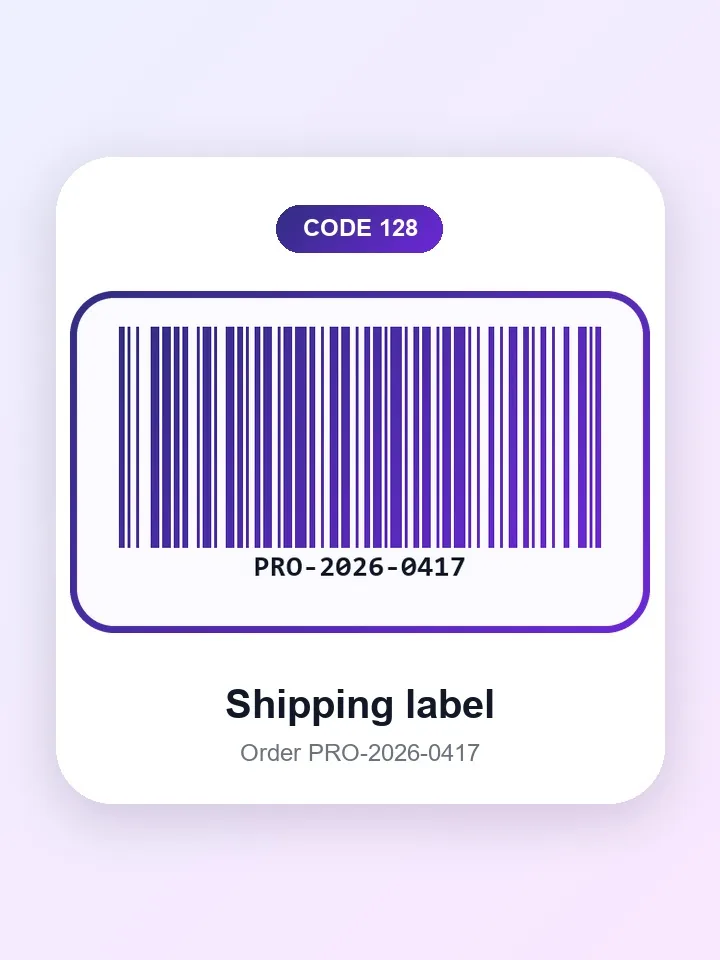
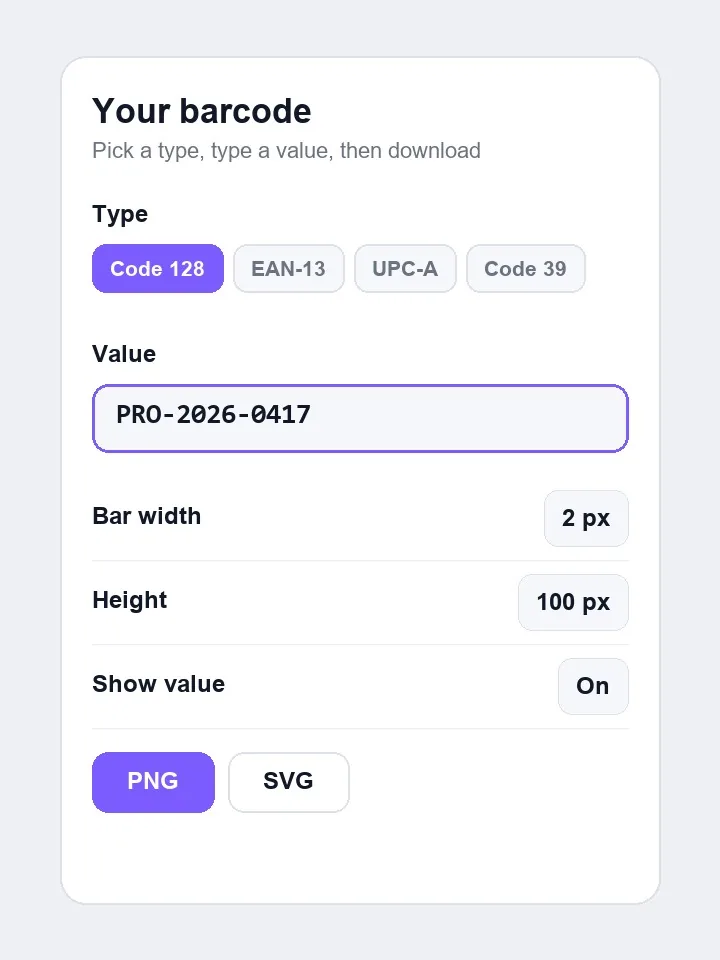
Four values as the tool draws them. On the left are the type and the value you enter, on the right the finished barcode, shown here on a modern rounded card. Bars stay dark on a light panel so scanners can read them. Pick an example and drag to compare.
Example 1 of 4
Code 128
Code 128 barcode for the value PRO-2026-0417, as used on a shipping label, drawn with indigo gradient bars on a rounded card.
Drag the handle on the picture to compare.
How to use
- 1
Choose a barcode type, such as Code 128, EAN-13 or UPC-A, and read its short description.
- 2
Enter your value, or press Use example. EAN-13 and UPC-A check digits are added for you. Turn on Batch mode for many values.
- 3
Adjust bar width, height and colours, and check the print checklist.
- 4
Download the PNG or SVG, or the ZIP file in batch mode.
- 5
Test one printed label with your scanner before you print a full run.
More about the barcode generator
What this tool does
This tool draws scannable barcodes in ten formats, including Code 128, EAN-13, UPC-A, Code 39 and ITF-14. Type a value, adjust the bar width, height and label, then download a PNG or SVG. For formats with a check digit, it works that digit out for you. Paste a list with one value per line and it makes up to 200 barcodes at once, delivered as a ZIP. Nothing is uploaded.
Choose by what will scan it. Barcodes suit retail and warehouse scanners, while phones are happier with a QR code, which also holds much more data. For those, use the QR Code Generator.
When you'd use it
- Stock and bin labels. Code 128 handles letters, numbers and symbols, which makes it the usual choice for internal part numbers.
- Retail products. EAN-13 and UPC-A are the formats shops scan, once you have numbers registered through GS1.
- Shipping cartons. ITF-14 is designed to print on corrugated boxes, where finer bars would blur.
- A batch of asset tags. Paste a column of serial numbers from a spreadsheet, and download a ZIP with one image per code.
How it works
A barcode encodes characters as a pattern of bar and space widths. The tool uses the open-source JsBarcode library in your browser to build that pattern, and draws it on a canvas for PNG or as vector shapes for SVG. Bars have to land on exact pixels to be read reliably, so width is set in whole-number multiples rather than freely scaled.
Fixed-length retail formats end in a check digit, a sum that lets a scanner catch a misread. Enter the first 12 digits of an EAN-13 and the tool adds the 13th. Enter all 13 and it checks them, and it tells you if a value cannot be encoded in the format you chose. The barcode image contains only the value itself, so it has no link to our site and cannot expire.
Real results from our tests
These are the tool's own example values at default settings. PNG files stay small because bars compress well, and SVG files are smaller still. The PNG width changes with the format and value length, while the height is set by the bar height and label. A longer value means a wider code at the same bar width.
| Type | Example value | PNG pixels | PNG size | SVG size |
|---|---|---|---|---|
| Code 128 | PRO-2026-0417 | 716×284 | 11 KB | 2.3 KB |
| EAN-13 | 5901234123457 | 476×284 | 8.9 KB | 2.3 KB |
| UPC-A | 036000291452 | 492×284 | 10 KB | 2.4 KB |
| ITF-14 | 15400141288763 | 588×284 | 11 KB | 2.0 KB |
Measured by running this tool in Chrome on 6 November 2026. Your files will give different numbers.
Tips and common mistakes
- Stay with black bars on a white background. The tool warns you because red or pale bars often fail on scanners.
- Use SVG for print. It scales to any size without blurring, whereas an enlarged PNG can soften the bars.
- Do not squash a barcode to fit a label. Resize it evenly, and leave the blank quiet zone at each side alone.
- Keep bars tall enough for handheld scanners. The tool warns you below about 50 px.
- Test with the actual scanner before printing a full run. Printer quality and label stock both affect results.
Limits
- It draws the image only. To sell in shops, you need numbers issued by GS1, since an invented EAN or UPC may clash with a real product.
- Each format accepts only certain characters and lengths, and values that do not fit are refused rather than altered.
- Batch mode uses the first 200 lines of your list.
- The tool makes linear barcodes. It does not scan them, and our QR Code Reader reads QR codes only.
Privacy and your photos
Barcodes are drawn in your browser. The values you enter, such as product numbers or asset ids, are not uploaded or stored, and the ZIP file is built on your device.
Frequently asked questions
Code 128 or Code 39?
Code 128 for most new labels, because it stores more characters in the same width. Use Code 39 only if an older system requires it.
EAN-13 or UPC-A?
UPC-A has 12 digits and is common in the US and Canada, while EAN-13 has 13 and is used in most other countries. Check what your retailer asks for.
Can I use these barcodes on products I sell?
The images are free to use, but a shop barcode also needs a number registered to you. Get that from GS1, then generate the image here.
Do these barcodes expire?
No. The pattern is the value itself, and there is no server behind it. It keeps working for as long as the printed image can be read.
Can I make many at once?
Yes. Paste up to 200 values, one on each line, and download all of them as a ZIP of PNG images.
How do I create a barcode online?
Choose a barcode type, type or paste your value and download the PNG or SVG. For EAN-13 and UPC-A you enter one digit fewer than the full length, and the tool adds the check digit.
How do I make a free barcode?
Use this page. It is free, with no sign-up and no watermark, and the image is drawn in your browser. For shop barcodes, the free part is the image: the number itself has to be registered to you through GS1.
Which barcode type should I use?
Use Code 128 for internal labels, EAN-13 or UPC-A for retail products, ITF-14 for cartons, and Code 39 only when an older system needs it. The tool shows a short description of each type to help you choose.
What is a check digit on a barcode?
The last digit of an EAN or UPC number, worked out from the digits before it. A scanner uses it to catch a misread. This tool calculates it for you and tells you if the one you typed is wrong.
How do I make many barcodes at once?
Turn on Batch mode, paste up to 200 values with one on each line, and download all of them as a ZIP of PNG images. Paste a column straight from a spreadsheet.
Do I have to buy barcodes?
Not to make the image, but for products sold in shops you need numbers issued by GS1, because an invented EAN or UPC may clash with a real product. Internal Code 128 labels need no registration.
How do I print barcodes so they scan?
Use SVG or a large PNG, keep the bars black on a white background, leave the blank margin at each side and print at 100% scale. Test one printed label with your scanner before a full run.
How big should a barcode be?
Big enough for your scanner to read it. The tool warns you when the bars are shorter than about 50 px, and wider bars are more forgiving. Resize it evenly and never squash it.
Why won't my barcode scan?
The usual causes are low contrast, a missing margin, bars that are too thin or short, a blurry print or a value that does not match the format. Use black on white, raise the bar width and test again.
Can I make a coloured barcode?
You can change the colours, but scanners read dark bars on a light background best. Red or pale bars often fail, so the tool warns you. The examples on this page use deep colours on a light panel.
Is this barcode generator free, and are my values uploaded?
It is free, with no sign-up. The barcodes are drawn in your browser, so the values you enter are not uploaded or stored.
Related tools
Maintained by Hardik Sindhav · Last verified 6 November 2026 · How we test and use AI