Passport Size Photo Sheet Maker – A4 & 4×6
Fit as many passport photos as you need on A4, 4×6 or Letter paper, with cut marks, ready to print at home or a photo lab.
or drag and drop your photo here
No image? Try one of these:
 Portrait Photo
- Face the camera, neutral expression
- Even light, no shadows
- Plain light wall behind you
Passport Size Photo Sheet Maker: before and after
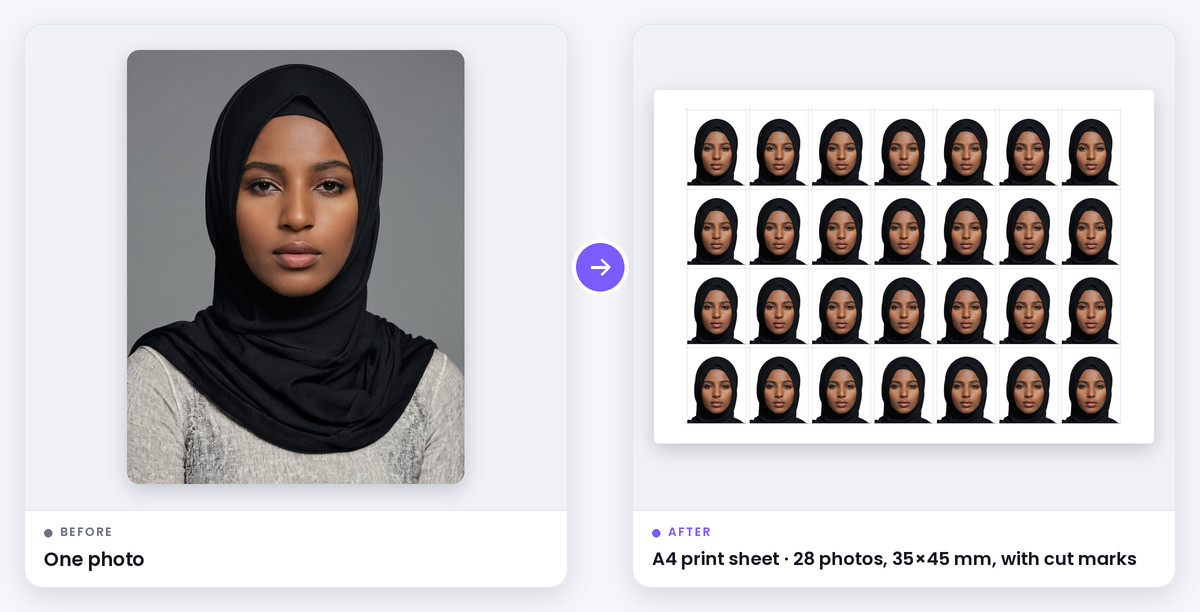
What this tool does
A passport photo sheet puts several passport size photos on one page, so you can print them at home or at a photo lab and cut them out. A print shop charges per photo; a single A4 or 4×6 print of the same sheet costs very little.
This tool makes the sheet at the exact size for your document, so the photos aren't too big or too small when printed: 35×45 mm for India, Pakistan, Nepal, the UK and Schengen, 2×2 inch for the US, 45×55 mm for Bangladesh, and more. Pick the paper, number of copies, spacing and cut marks.
How it works
Upload a photo, choose your document and line up your head with the guide. The print sheet then fills the page with copies at 300 DPI.
Choose A4, 4×6, 5×7 or Letter paper, how many copies you want, the gap between photos and the type of cut marks. Print at 100% scale (not 'fit to page') so each photo comes out at the right size.
When to use it
Print at home
An A4 or Letter sheet on photo paper with a home printer.
Print at a photo lab
A 4×6 print at a pharmacy or photo kiosk for a few cents.
Multiple applications
Enough copies for forms, visas and ID cards at once.
Supported formats & file limits
Supported Formats: Input: JPG, PNG or WebP. Output: JPG print sheet on A4, 4×6, 5×7 or Letter paper at 300 DPI.
File Size Limits: The sheet is a full-resolution JPG, ready for any printer or photo lab.
Quality explanation
Use glossy or matte photo paper for the best result. Plain office paper is usually not accepted for official applications. Passport offices want unaltered photos. Cropping and resizing are fine, but some offices reject photos whose background has been replaced, so take the photo against a plain light wall whenever you can.
Step-by-step instructions
- 1Upload a front-facing photo against a plain wall.
- 2Choose your country or document and line up your head with the guide.
- 3Pick the paper (A4, 4×6, 5×7 or Letter), number of copies and cut marks.
- 4Download the sheet and print it at 100% scale.
- 5Cut along the marks.
Key features
- A4, 4×6, 5×7 and Letter paper
- Exact photo size for each document
- Choose the number of copies and spacing
- Cut lines or corner marks
- Free, no sign-up
Privacy & data security
Cropping, sizing and the print sheet are made in your browser. Your photo is only sent to our server if you choose the AI white-background option, and it is deleted shortly after processing.
Technical limitations
- Printing with 'fit to page' or borderless scaling changes the photo size. Always print at 100%.
- Some countries, such as Australia, need prints on quality photo paper from a lab.
Frequently asked questions
- How many passport size photos fit on an A4 sheet?
- About 30 photos of 35×45 mm, around 20 of 45×55 mm, or about 15 US 2×2 photos, depending on gaps and margins. The tool shows the exact number.
- How many passport photos fit on a 4×6 print?
- Eight 35×45 mm photos or six 2×2 inch photos.
- Why are my printed photos the wrong size?
- The printer scaled the page. Turn off 'fit to page' and print at 100% or 'actual size'.
- Can I print passport photos on normal paper?
- For practice, yes, but official applications usually require photo paper.