Passport Size Photo Background Change – White or Blue
Replace the background with white, blue or any colour, then crop to your country's passport size and download.
or drag and drop your photo here
No image? Try one of these:
 Portrait Photo
- Face the camera, neutral expression
- Even light, no shadows
- Plain light wall behind you
Passport Photo Background Changer: before and after
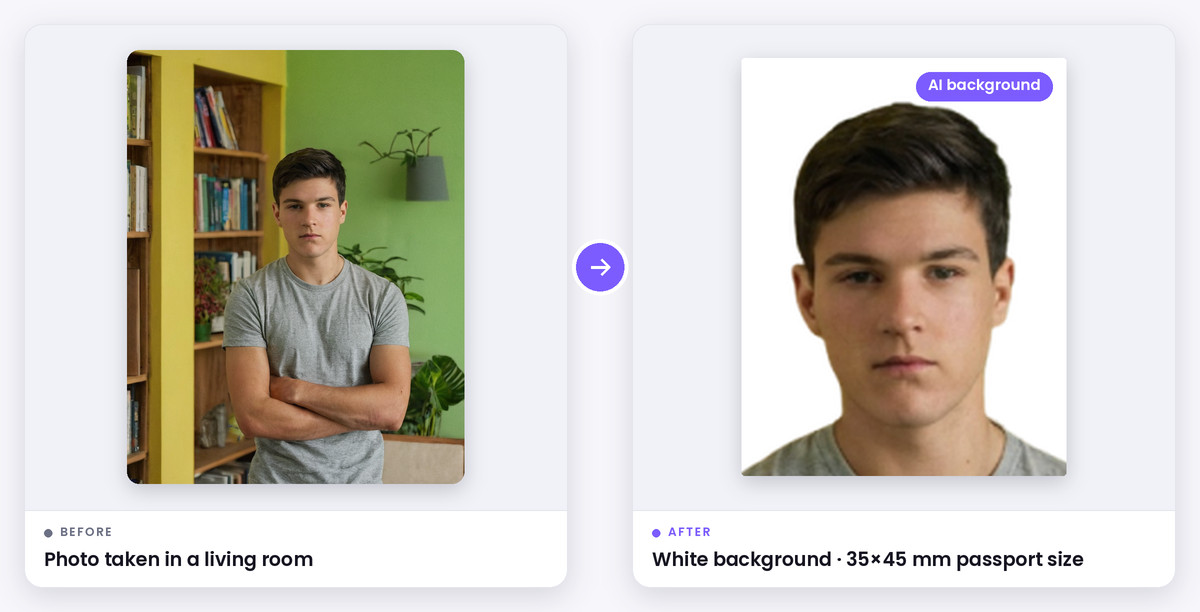
What this tool does
Most passport and visa photos need a plain white or light background, but the photo you have was probably taken against a coloured wall, a door or a room. This tool removes the old background with AI and puts your choice behind you: white, off-white, light grey, light blue, blue or any custom colour.
It then crops the result to the right passport size for your country, so you get a finished photo in one place: 35×45 mm for India, Pakistan, the UK and Schengen visas, 2×2 inch for the US, 45×55 mm for Bangladesh and more, as a JPG or a print sheet.
How it works
Upload your photo and click Replace background (AI). The AI separates you from the background; then click any colour to put behind you. Click Undo to go back to the original.
Pick your document from the list and line up your head with the guide. The download uses the new background at the exact size for that document.
When to use it
Fix a photo taken at home
Turn a coloured or cluttered wall into plain white.
Blue or other coloured backgrounds
Some IDs and forms ask for blue or another colour.
Re-use an old photo
Change the background instead of booking a new studio photo.
Supported formats & file limits
Supported Formats: Input: JPG, PNG or WebP. Output: JPG at your document's size, and a print sheet on A4, 4×6, 5×7 or Letter paper.
File Size Limits: Digital files follow the KB limits of the selected document where one exists.
Quality explanation
The AI works best with a sharp photo, even light and clear contrast between your hair and the wall. Passport offices want unaltered photos. Cropping and resizing are fine, but some offices reject photos whose background has been replaced, so take the photo against a plain light wall whenever you can.
Step-by-step instructions
- 1Upload your photo.
- 2Click Replace background (AI) and wait a few seconds.
- 3Pick white, blue or any colour.
- 4Choose your country or document and line up your head with the guide.
- 5Download the photo or the print sheet.
Key features
- AI background removal
- White, off-white, grey, light blue, blue or any colour
- Crops to passport sizes for many countries
- A4 and 4×6 print sheets
- Free, no watermark
Privacy & data security
Cropping, sizing and the print sheet are made in your browser. Your photo is only sent to our server if you choose the AI white-background option, and it is deleted shortly after processing.
Technical limitations
- Some offices, including the UK and US, reject digitally altered photos. Retake the photo against a plain wall if you can.
- Very fine or fly-away hair can look slightly soft at the edge.
Frequently asked questions
- How do I change my passport photo background to white?
- Upload the photo, click Replace background (AI), then pick white. Choose your document and download.
- Which background colour does a passport photo need?
- Most countries ask for plain white or off-white. The UK accepts light grey or cream. Check your document's checklist in the tool.
- Can I make a blue background passport photo?
- Yes. Pick Blue or Light blue, or any custom colour. Use blue only if your form asks for it, since most passports require white.
- Will the passport office accept an edited background?
- Many do, but some don't allow any digital editing. A photo taken against a plain white wall is always the safest choice.