Pakistan Passport Size Photo Maker – 35×45 mm
Frame your photo at 35×45 mm on plain white, then download a file for online renewal or a 4×6 or A4 print sheet.
or drag and drop your photo here
No image? Try one of these:
 Portrait Photo
- Face the camera, neutral expression
- Even light, no shadows
- Plain light wall behind you
Pakistan Passport Size Photo Maker: before and after
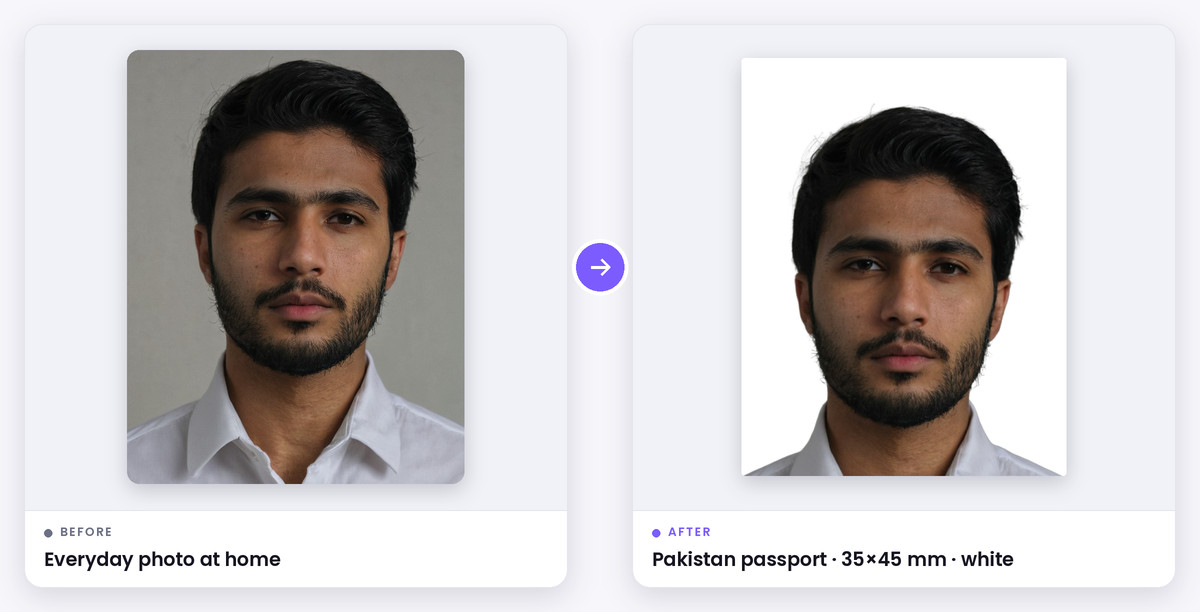
What this tool does
A Pakistani passport size photo is 35×45 mm, in colour, on a plain white background, with the face straight to the camera. The white background matters: the light blue background used for CNIC photos is a common reason passport photos are rejected.
For online passport renewal on the DGIP e-services portal you upload a digital photo, up to 5 MB. For visa forms, job applications and other documents you usually need printed 35×45 mm copies. This tool gives you both: a correctly framed JPG and a print sheet on A4 or 4×6 paper.
How it works
The guide marks where your head and chin should sit on a 45 mm tall photo. Drag and zoom until they line up and your face is centred.
If your background isn't plain white, the AI option replaces it with white. The print sheet lays out 35×45 mm photos with cut marks at 300 DPI.
When to use it
Online passport renewal
A sharp 35×45 mm JPG on white, well under the 5 MB limit.
Visa and embassy forms
Most countries also ask for a 35×45 mm photo.
Jobs, admissions and other forms
Print a sheet of passport size photos instead of visiting a studio.
Supported formats & file limits
Supported Formats: Input: JPG, PNG or WebP. Output: 630×810 JPG and a print sheet on A4, 4×6, 5×7 or Letter paper.
File Size Limits: The digital file stays well under the 5 MB upload limit.
Quality explanation
Use a plain white wall, even light and no shadows. Look straight at the camera with a neutral expression and both eyes open. Don't use a beauty filter. Religious head coverings are allowed if the face is fully visible. Passport offices want unaltered photos. Cropping and resizing are fine, but some offices reject photos whose background has been replaced, so take the photo against a plain light wall whenever you can.
Step-by-step instructions
- 1Upload a front-facing photo; the Pakistan 35×45 mm size is already selected.
- 2Align the top of your head with the blue line and your chin with the green band.
- 3If needed, click Replace background (AI) and choose white.
- 4Download the JPG for online renewal, or the A4 or 4×6 print sheet.
Key features
- 35×45 mm framing with a head guide
- Plain white background in one click
- JPG ready for online renewal
- A4 and 4×6 print sheets with cut marks
- Free, no sign-up
Privacy & data security
Cropping, sizing and the print sheet are made in your browser. Your photo is only sent to our server if you choose the AI white-background option, and it is deleted shortly after processing.
Technical limitations
- New passports are photographed live at the passport office. This tool is for online renewal, visas and other forms.
- The tool can't check expression, glasses or photo age. Photos should be recent.
- Rules change. Check the DGIP portal before you apply.
Frequently asked questions
- What is the passport size photo size in Pakistan?
- 35×45 mm (3.5×4.5 cm), in colour, on a plain white background.
- Can I use my CNIC photo for my passport?
- No. CNIC photos have a light blue background, while passport photos must be plain white.
- What photo do I need for online passport renewal?
- A clear, recent, front-facing colour photo on plain white, uploaded as a JPEG up to 5 MB. Follow the instructions on the DGIP portal when you upload.
- How do I print passport size photos at home?
- Choose A4 in Print sheet, download it, and print at 100% scale on photo paper. Then cut along the marks.