Bangladesh Passport Size Photo Maker – 45×55 mm
Frame your photo at 45×55 mm on a white background, then download a sharp JPG or a 4×6 or A4 print sheet.
or drag and drop your photo here
No image? Try one of these:
 Portrait Photo
- Face the camera, neutral expression
- Even light, no shadows
- Plain light wall behind you
Bangladesh Passport Size Photo Maker: before and after
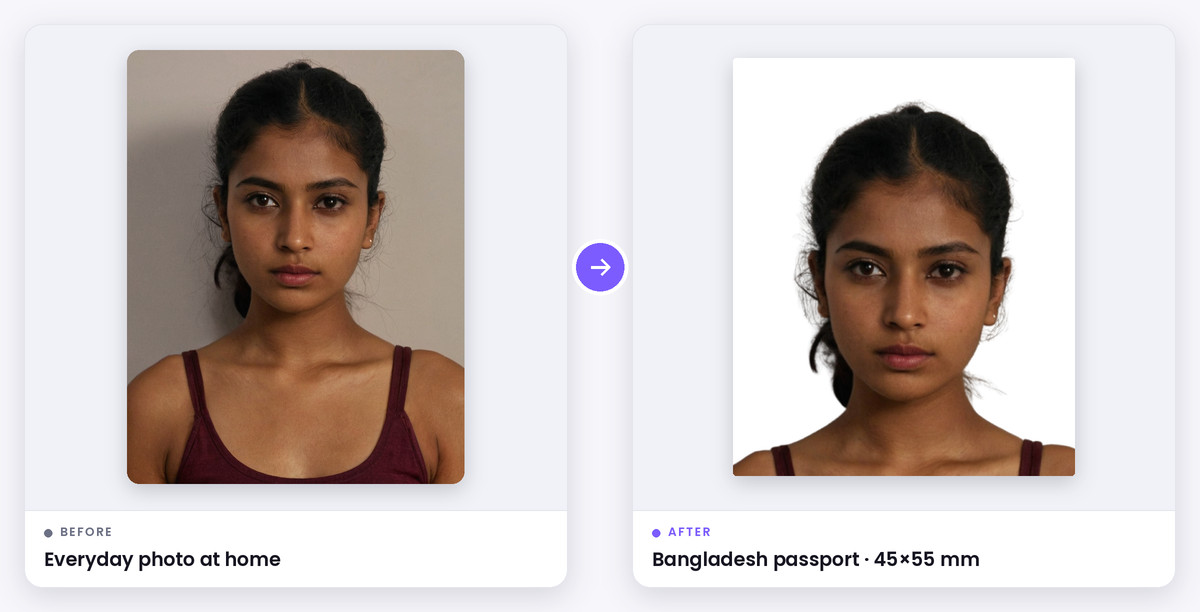
What this tool does
Printed Bangladesh passport size photos are 45×55 mm, in colour, on a plain white background, with the face filling about 70–80% of the height. This is the size used for paper forms and older MRP applications. E-passport photos are taken live at the passport office, so you only need a print for the forms around them.
This tool frames a photo you already have to 45×55 mm and gives you a sharp 600 DPI JPG and a print sheet on A4 or 4×6 paper. For a Bangladesh visa photo, which is 35×45 mm, switch the document to ICAO in the list.
How it works
The guide shows where your head and chin should be on a 55 mm tall photo. Zoom until both match and your face is centred.
The JPG is 1063×1299 pixels, which is 45×55 mm at 600 DPI. The print sheet fits as many photos as the paper allows, with cut marks.
When to use it
Passport and MRP forms
Printed 45×55 mm photos on a white background.
Job, admission and bank forms
Many Bangladeshi forms ask for the same passport size photo.
Visa applications
Switch to the ICAO size for a 35×45 mm visa photo.
Supported formats & file limits
Supported Formats: Input: JPG, PNG or WebP. Output: 1063×1299 JPG and a print sheet on A4, 4×6, 5×7 or Letter paper.
File Size Limits: No fixed file size for printed photos. Check the portal's limit if you upload the JPG.
Quality explanation
Use a plain white wall and even light, look straight at the camera and keep your mouth closed. Remove glasses. Passport offices want unaltered photos. Cropping and resizing are fine, but some offices reject photos whose background has been replaced, so take the photo against a plain light wall whenever you can.
Step-by-step instructions
- 1Upload a front-facing photo; the Bangladesh 45×55 mm size is already selected.
- 2Drag and zoom until your head fits between the guide lines.
- 3If needed, click Replace background (AI) and choose white.
- 4Download the JPG or the A4 or 4×6 print sheet, and print at 100% scale.
Key features
- 45×55 mm framing with a head guide
- 600 DPI JPG for sharp prints
- White background in one click
- A4 and 4×6 print sheets
- Free, no sign-up
Privacy & data security
Cropping, sizing and the print sheet are made in your browser. Your photo is only sent to our server if you choose the AI white-background option, and it is deleted shortly after processing.
Technical limitations
- E-passport photos are captured at the passport office and can't be uploaded.
- Some offices still accept other sizes. Check the form you are filling in.
Frequently asked questions
- What is the passport size photo size in Bangladesh?
- Printed passport photos are 45×55 mm on a plain white background. Bangladesh visa photos are 35×45 mm.
- Do I need a photo for the e-passport?
- No printed photo is needed for the e-passport itself, because it's taken at the office. Some related forms still ask for a printed passport size photo.
- How many 45×55 mm photos fit on A4?
- Around 20 with small gaps. Choose A4 in Print sheet to see the exact count.
- Can I make the background white?
- Yes. Click Replace background (AI) and pick white.